Storing News in a Database
In this tutorial, we’ll take a tour of Anvil and build a simple news aggregator. We’ll start from a blank page, and build up to a web app complete with database storage and deployed on the web - all in nothing but Python.
This is also known as a CRUD app, named after the Create, Read, Update and Delete operations.
The final app will look something like this:
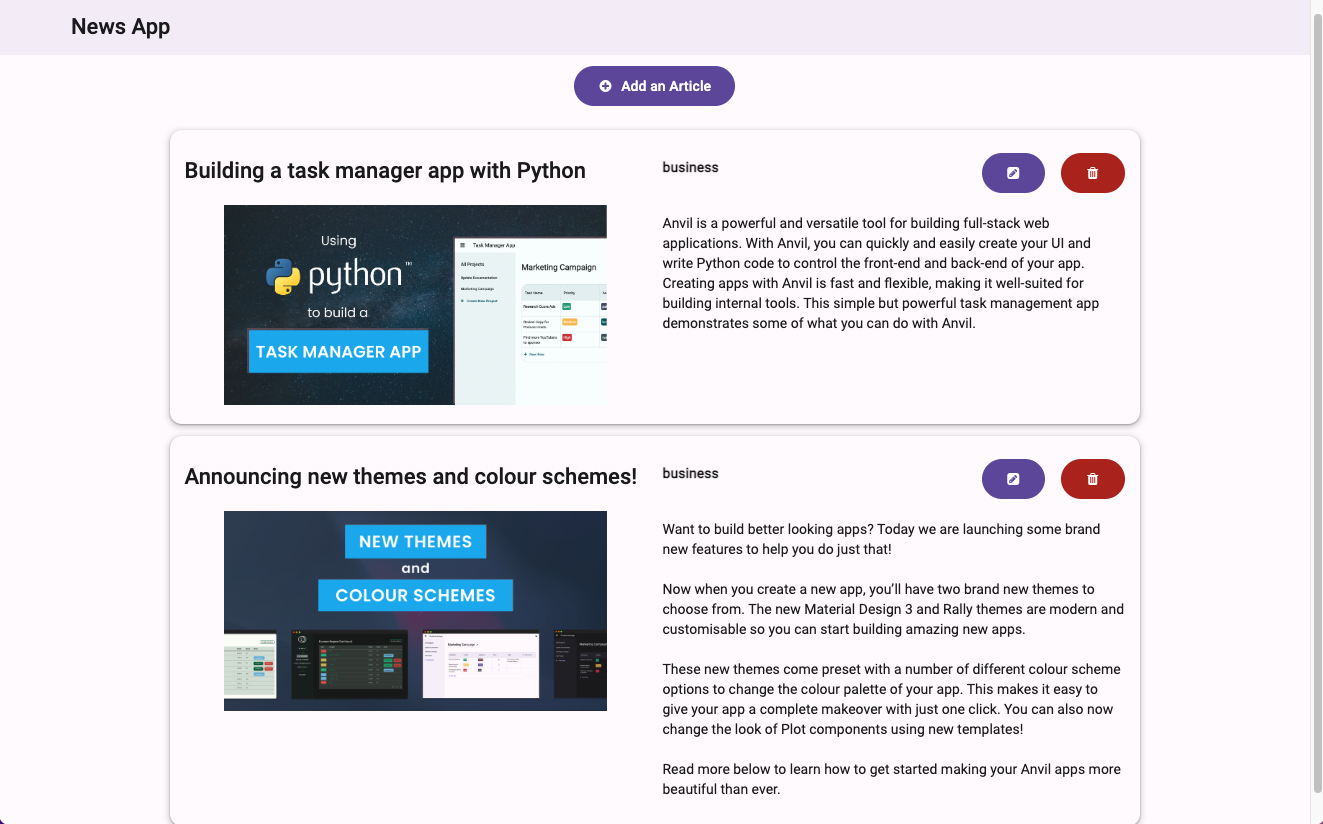
The techniques you’ll learn in this tutorial are fundamental to building any Anvil app, and mastering them will give you a good understanding of how Anvil works.
You don't need any prior experience with Anvil or web development to complete this tutorial.
All you'll need is a little bit of Python. If you’re new to Python, here are some resources to help you get started.
Chapters
In this tutorial, you'll:Create your database tables
Create some Data Tables to store your news articles.
Build your user interface
Build a User Interface (UI) to add and edit the articles.
Write client-side Python
Write some client-side Python code to populate the Categories dropdown from the database.
Add news articles to the database
Create: Save the article information that the user enters.
Display news articles
Read: Display a list of existing articles.
Update existing articles
Update: Modify existing articles using your app.
Challenge yourself
Extend your app and modify its appearance.